SynAugment expands a panel of real series with synthetic look-alikes.
For each input series it detects the pattern (seasonality, trend,
stationarity), picks a matching generator, fits its parameters, and
draws new series that share the original’s statistical fingerprint — a
cheap way to give a global model more to learn from.
Four augmentation strategiesFit augmentation on the training split only — fitting on validation or test observations leaks information into training.
augment(this guide) — fit a generator per series and draw statistically similar copies.mixup— blend several real series with convex weights (TSMixup), covered at the end.mbb— resample blocks from each series’ decomposed remainder.dba— build randomized DTW barycenters from nearby panel series.
Basic augmentation
Create a simple random walk series and augment it with 3 synthetic copies.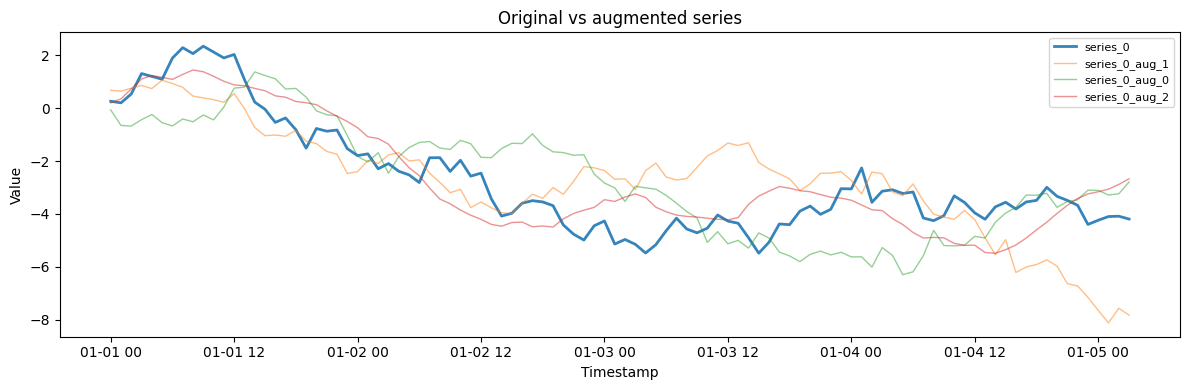
Analyzing series before augmentation
SynAugment analyzes each series to detect its properties and recommend the best generator.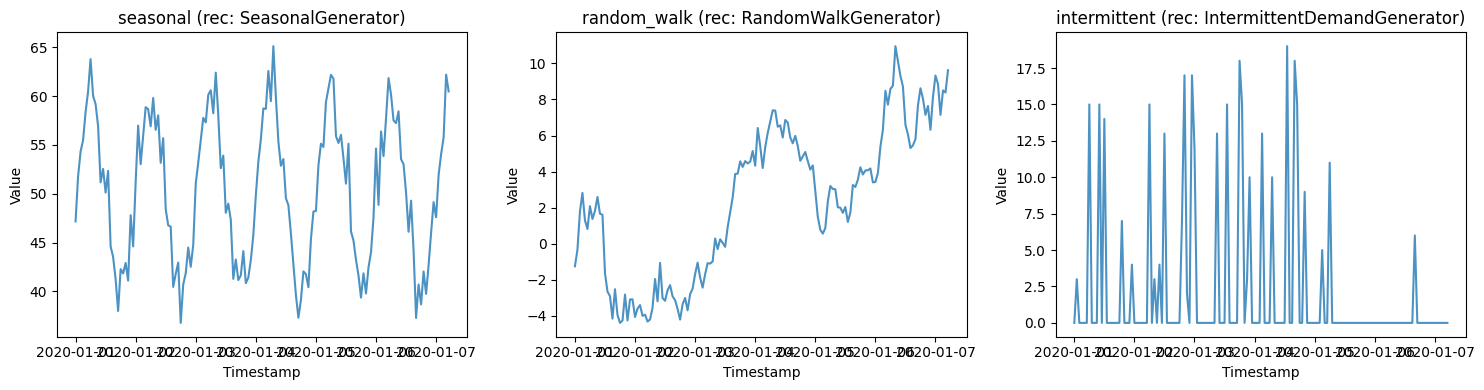
Using generator overrides
Override the auto-detected generator for specific series when you want to use a particular model.Comparing original vs synthetic statistics
Verify that the augmented series preserve the statistical properties of the original.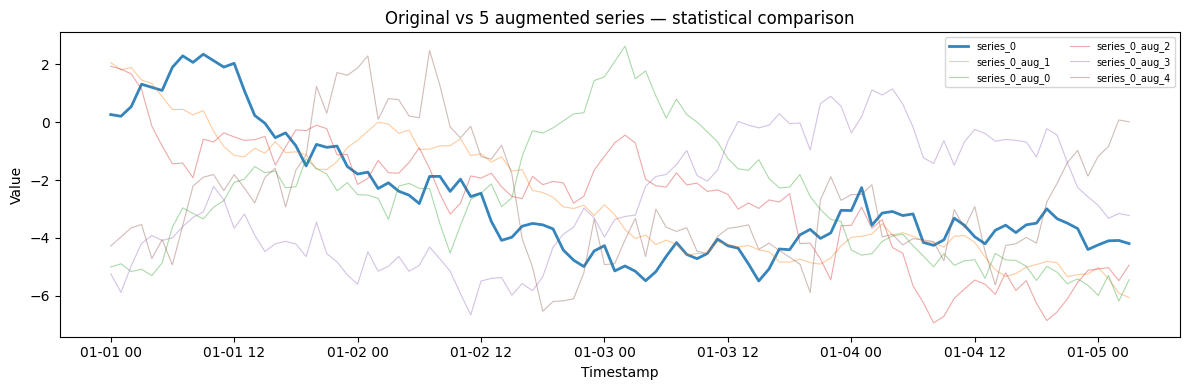
Augmenting a generated dataset
Generate a dataset using SynForecast generators, then augment the combined dataset.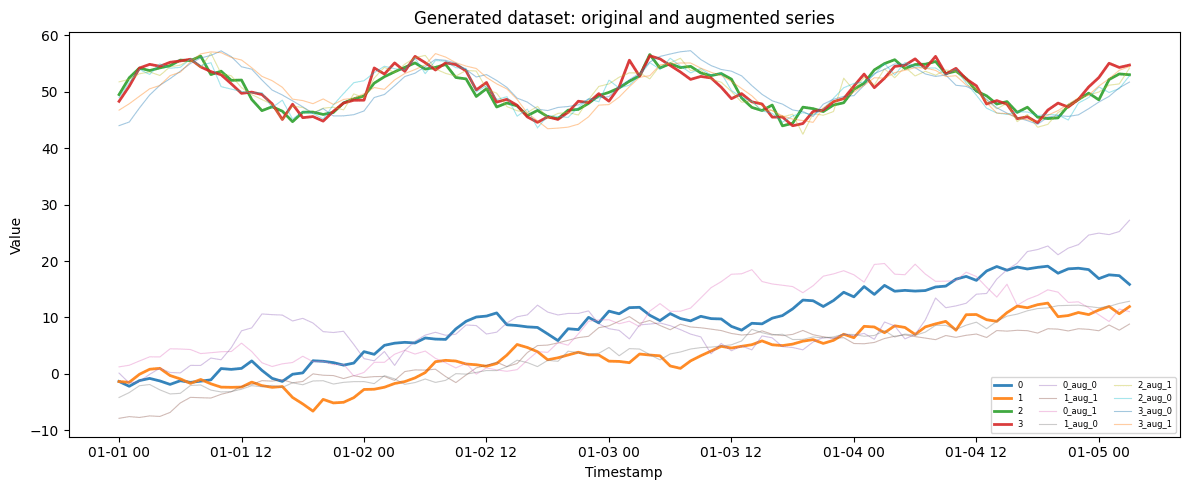
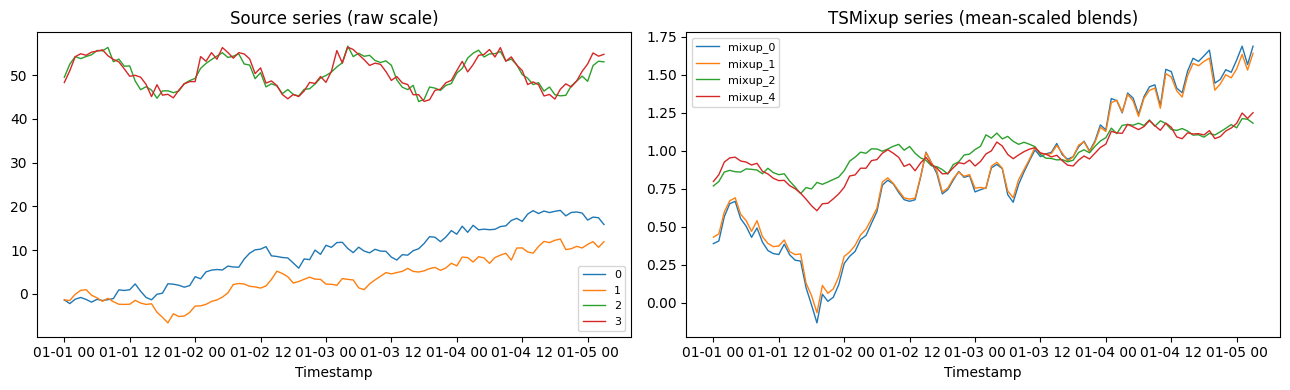
TSMixup: convex combinations of real series
SynAugment.mixup implements TSMixup, the augmentation used to pretrain
the Chronos models (Ansari et al. 2024). Each synthetic series is a
convex combination of a random window from 1..max_mix source series,
weighted by a Dirichlet(alpha) draw. Unlike augment, which fits one
generator per series, a mixup series blends the dynamics of several — a
cheap way to broaden a small panel without fitting any model.
The blend lives in scaled space: sources are normalized before mixing
(scaling="mean" divides by the mean absolute value, the Chronos
default), so the output shares the scaling rather than any single
source’s level. Use scaling="none" when the series already share a
scale.